
Readcomb

Reading app for Android · free

Read better. Remember what matters.

Your books, comics and documents in your pocket. And the passages you highlight come back to you, until they stick.

FreeNo accountNo adsYour books stay with you

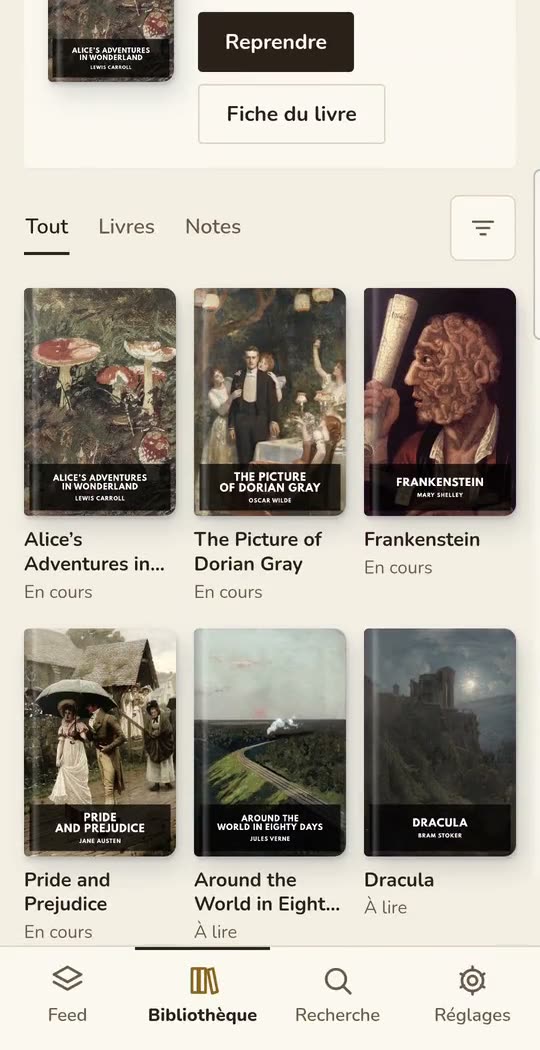
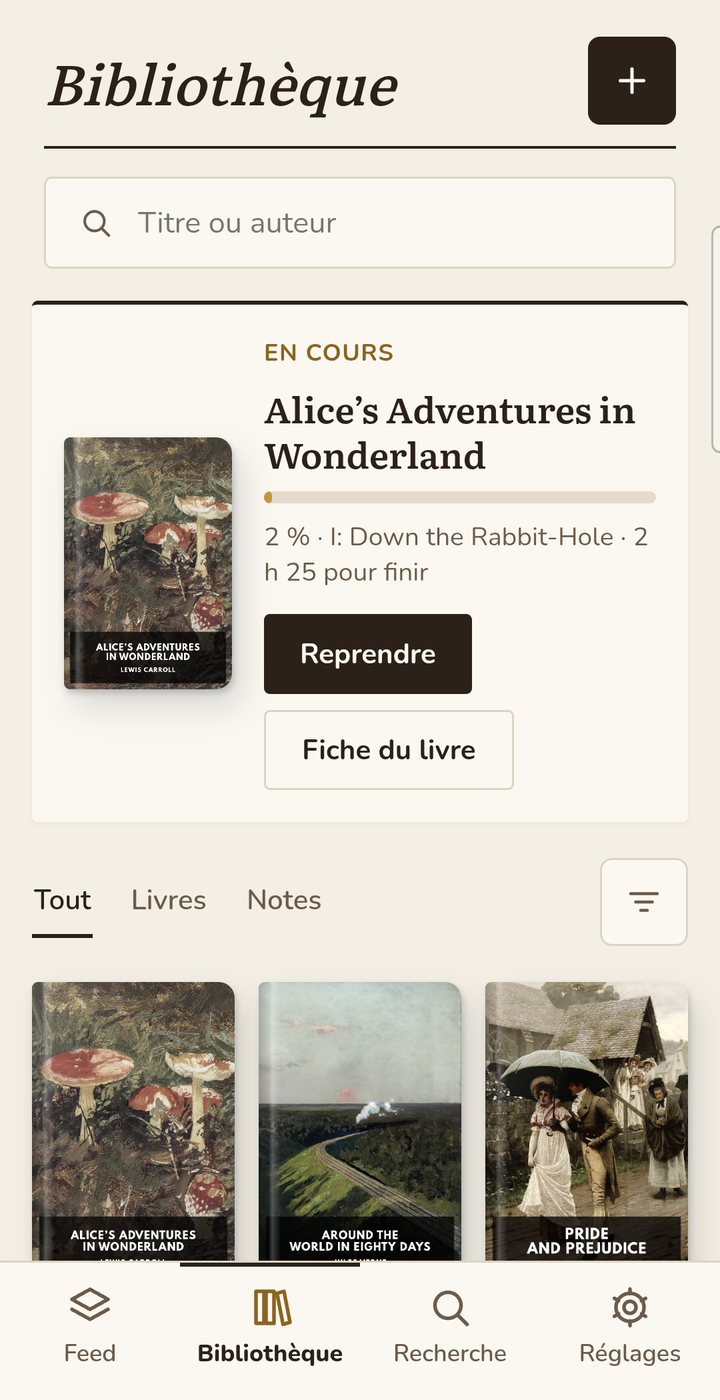
The Readcomb library scrolling: the book in progress with its progress bar, then the other books and their covers.

FreeNothing to pay to read, highlight and remember.

No accountOpen the app and read.

No adsNever an ad between you and your book.

Your books stay with youYour books and notes never leave your phone.

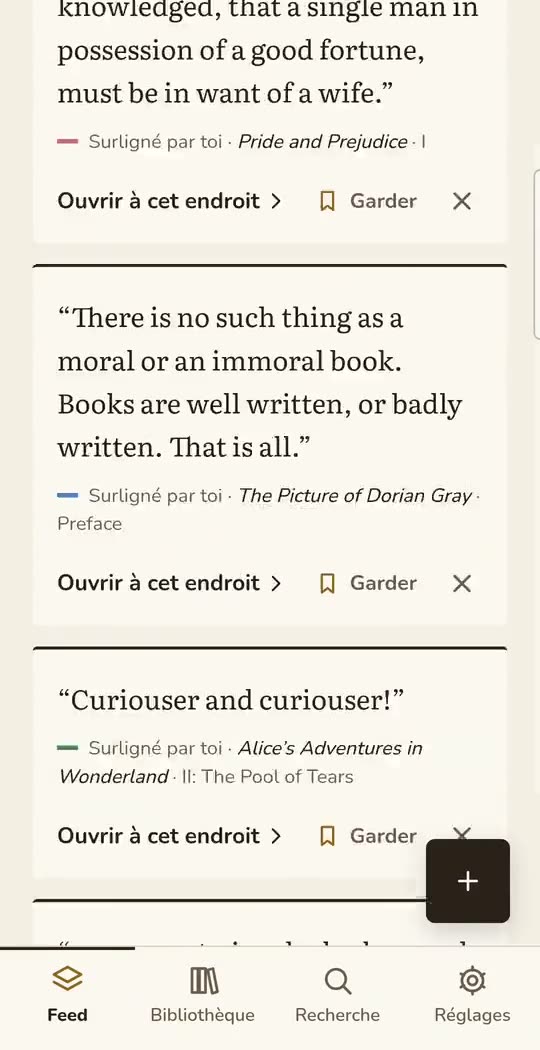
The Readcomb feed scrolling: passages highlighted in classics (Alice’s Adventures in Wonderland, Pride and Prejudice, The Picture of Dorian Gray) coming back as cards.
Your feed: your highlights come back, with your notes

Remember

A book read is no longer a book forgotten

Highlight what strikes you. Readcomb shows it to you again at the right moment, until it sticks.

  • Highlight, annotateA word, a sentence, a whole page. A note on top, if you feel like it.
  • Your passages come back to youIn your feed, again and again, at increasingly spaced intervals: you reread the essentials just before forgetting them.
  • Find everything, right awayA sentence you read six months ago? One search across all your books and all your notes.
  • Take your notes with youTo Word, text or Markdown. A book to your e-reader, in one tap.

Read

All your books, all your comics, in one place

Open the files you already have. Nothing to convert, nothing to buy.

  • All your formatsEbooks, PDFs (even scanned ones), comics and manga, documents, saved web pages, DRM-free Kindle books.
    EPUBPDFCBZDOCXODTTXTMarkdownHTMLMOBIAZW3
  • Read your wayText size, fonts (including one designed for dyslexia), paper, sepia or dark backgrounds. Continuous scrolling, or pages that turn like in a real book.
  • Never lose your pageBookmarks, reading time left, back to your page in one tap after a jump. And when your eyes get tired, read-aloud.
  • A word escapes you?A long press, and its definition is there. In French, English and Spanish.
A comic read in Readcomb: the pages turn with the “page” animation.
A comic, page by page
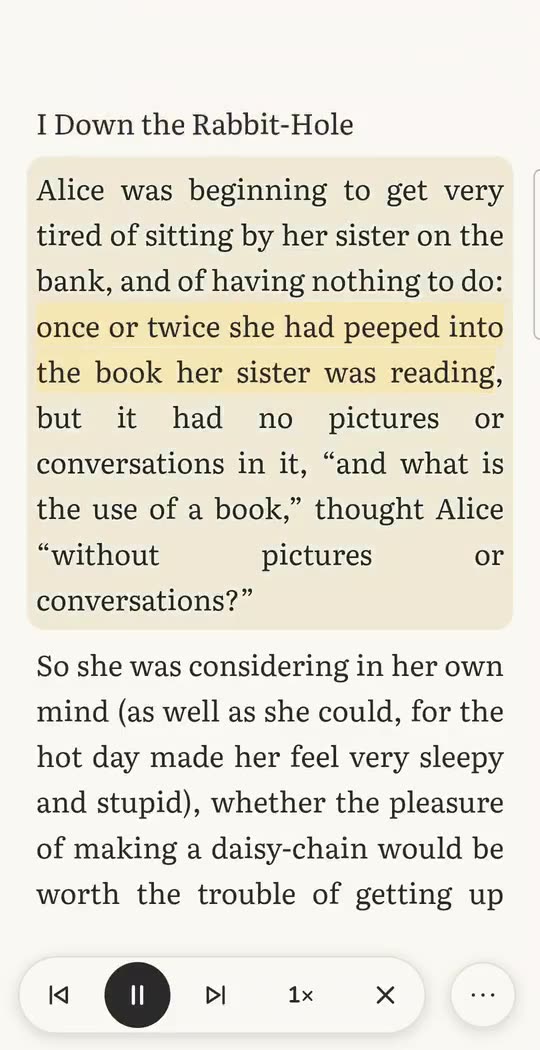
Read-aloud of Alice’s Adventures in Wonderland: the passage being read is highlighted and moves along with the voice (video sped up twice).
The voice reads, the text follows (sped up ×2)
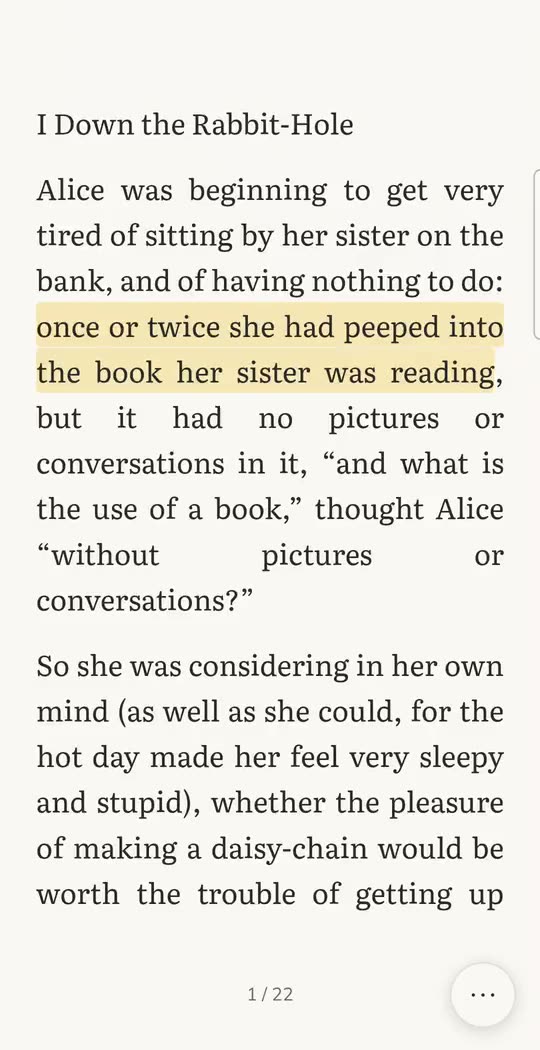
Long press on the word “pleasure”, then “Define”: the definition appears at once, in French and English.
A long press: the definition
The Readcomb library: the book in progress and the other books, on the phone.
Your library, on your phone and nowhere else

Keep

Your books stay with you

What you read is nobody’s business but yours.

  • With you, and nowhere elseYour books and notes never leave your phone.
  • No accountNothing to create, nothing to fill in. Open and read.
  • No adsNever an ad between you and your book.
  • Your notes follow youAutomatic backup, full export: you lose nothing, ever.

How it works

Three steps, and you’re reading

  1. Install Readcomb

    Download the app on your Android phone: five minutes, with the step-by-step guide.

  2. Add a book

    Tap + and choose a file, or share a book to Readcomb from any other app.

  3. Read, highlight, remember

    Mark what matters. Your passages come back in your feed, at the right moment.

Readcomb AI · coming soon

And soon, go further

Readcomb AI is the same app, with an extra boost: translate, summarize, quiz yourself, discover excerpts you would have missed.

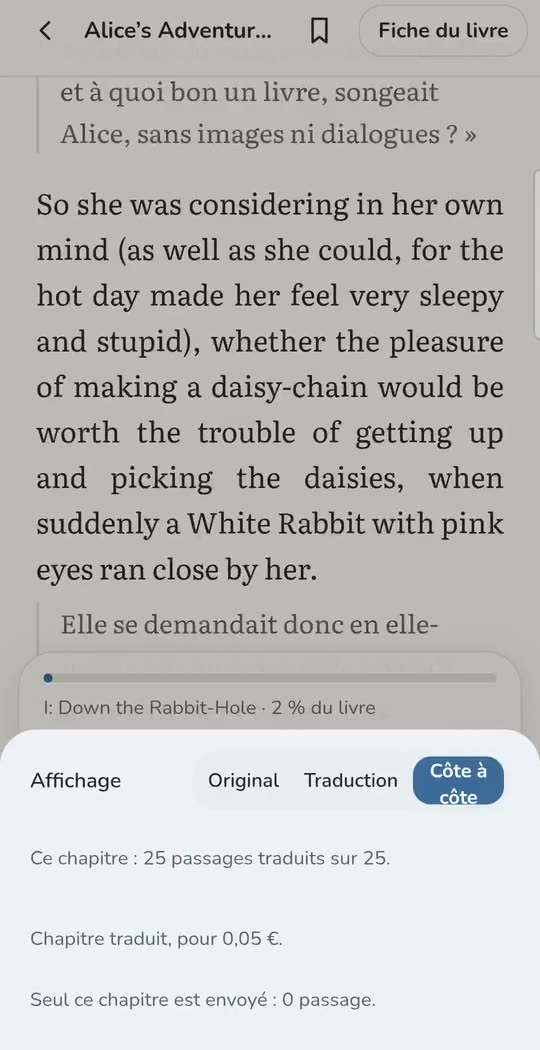
The Translate panel in Readcomb AI: “Side by side” chosen, then the French translation shown under each English paragraph.
Side-by-side translation: the French under each paragraph
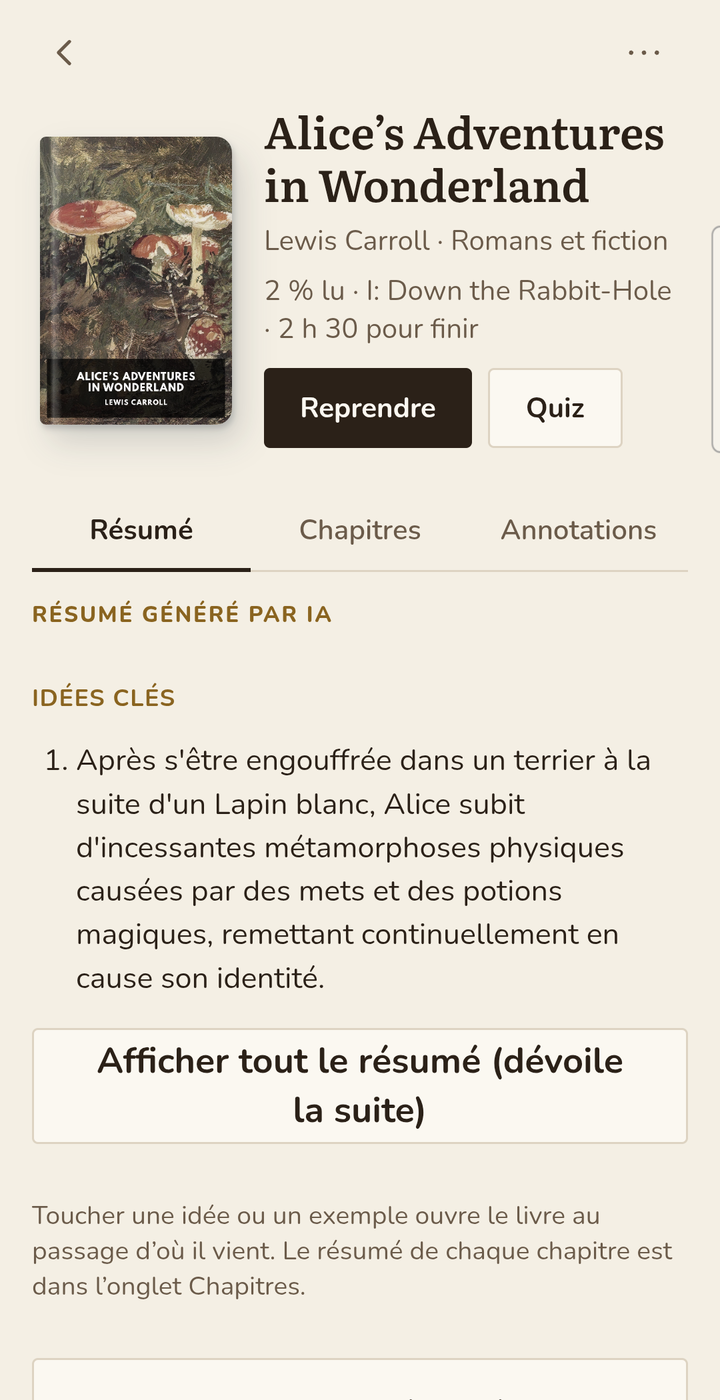
The “Alice’s Adventures in Wonderland” page in Readcomb AI, Summary tab: the AI-generated summary, then the key ideas.
A book’s summary and its key ideas
TranslateA book in English? Read it in French, the original alongside.
SummarizeThe essentials of a book or a chapter, each idea linked to its passage.
Quiz yourselfA quiz on what you’ve just read; the questions you miss come back in your feed.
Discover excerptsQuotes, examples and ideas drawn from your books, slipped into your feed.

Download · Android

Choose your Readcomb

The same reading app. The second one goes further.

Readcomb

Read, highlight, remember. Anywhere, even without a signal.

  • Books, PDFs, comics, documents, DRM-free Kindle books
  • Highlights, notes, and a feed that serves them back to you
  • One search across all your books
  • Dictionary, read-aloud, bookmarks

Your books stay with you
Download Readcomb Free, on Android.
Readcomb AI

Coming soon

The same app, with an extra boost: translation, summaries, quizzes, excerpts.

  • All of Readcomb, without exception
  • Translate a chapter or a whole book
  • Summarize, then quiz yourself
  • Discover excerpts and articles drawn from your books

With the help of artificial intelligence

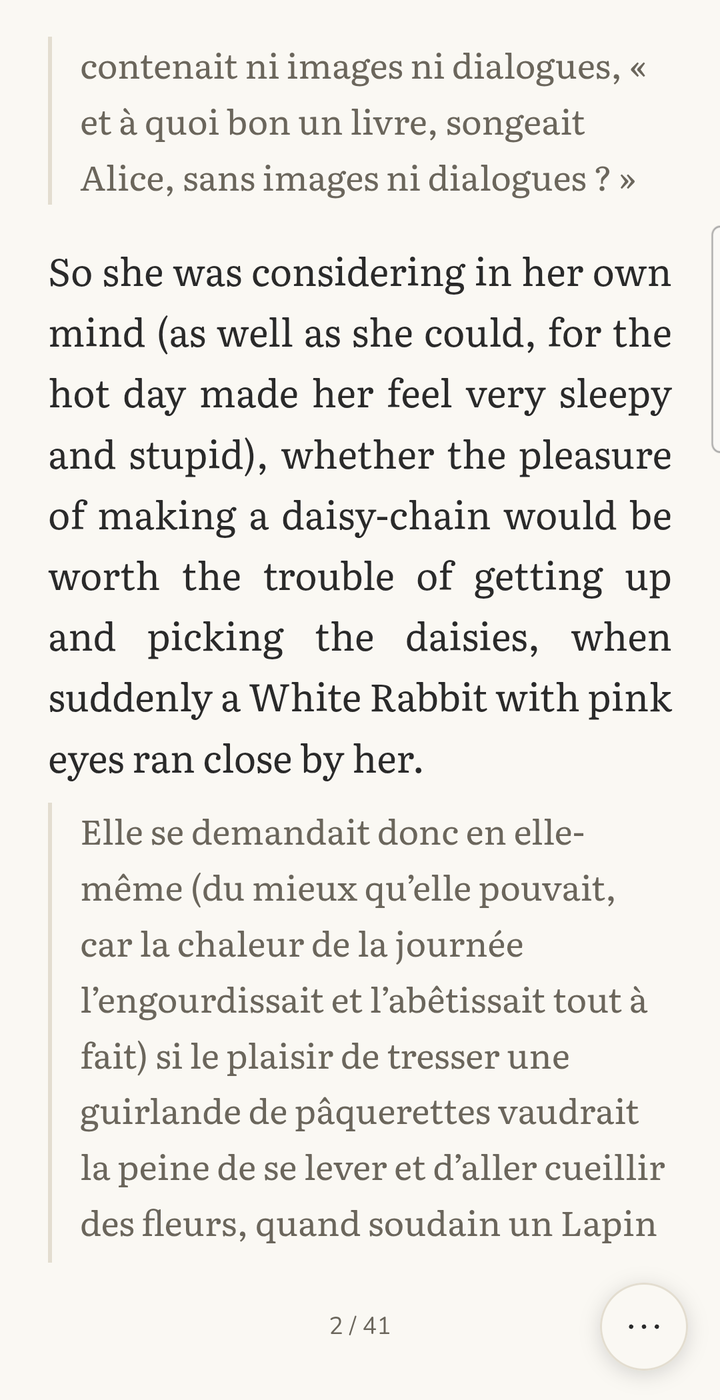
A page translated side by side in Readcomb AI: each English paragraph followed by its French translation.
Coming soon For ages 18 and over. Discover these tools.

What’s coming

And this is only the beginning

See the full roadmap

  • Translation, summaries, quizzes, suggested excerptsIn testing

    The tools of Readcomb AI.

  • Your Kindle and Kobo highlightsIn testing

    They land in the book and come back in your feed.

  • Articles written from your booksIn progress

    One topic, several of your books, one article that weaves them together. The goal: every claim points to the exact passage.

  • Account and syncComing

    Your books and notes on all your devices.

Questions

You may be wondering…

Another question? Write to contact@readcomb.com.

Is it really free?

Yes. Readcomb is free to download and to use on Android: read, highlight, remember, without paying anything.

Do I need to create an account?

No. You install, you open, you read. Nothing to fill in.

Which books can I read?

Your ebooks (EPUB), your PDFs (even scanned ones), your comics and manga (CBZ), your Word, ODT, TXT or Markdown documents, your saved web pages and your DRM-free Kindle books (MOBI, AZW3).

Why isn’t Readcomb on the Play Store?

Not yet. For now, Readcomb installs straight from this site, in five minutes with the step-by-step guide. Updates are then offered in the app.

Are my books and notes safe?

They stay on your phone, and nowhere else. An automatic backup goes to the folder of your choice, and you can export everything whenever you like.

What is Readcomb AI?

The same app, with an extra boost: translation, summaries, quizzes and excerpts suggested in your feed. It’s coming soon; discover it in the meantime.

Ready to remember what you read?

Readcomb is waiting for you on your Android phone. Five minutes to install it, one book to start.

Download Readcomb

FreeNo accountNo adsYour books stay with you